- Press the Pass button to enable pass-through
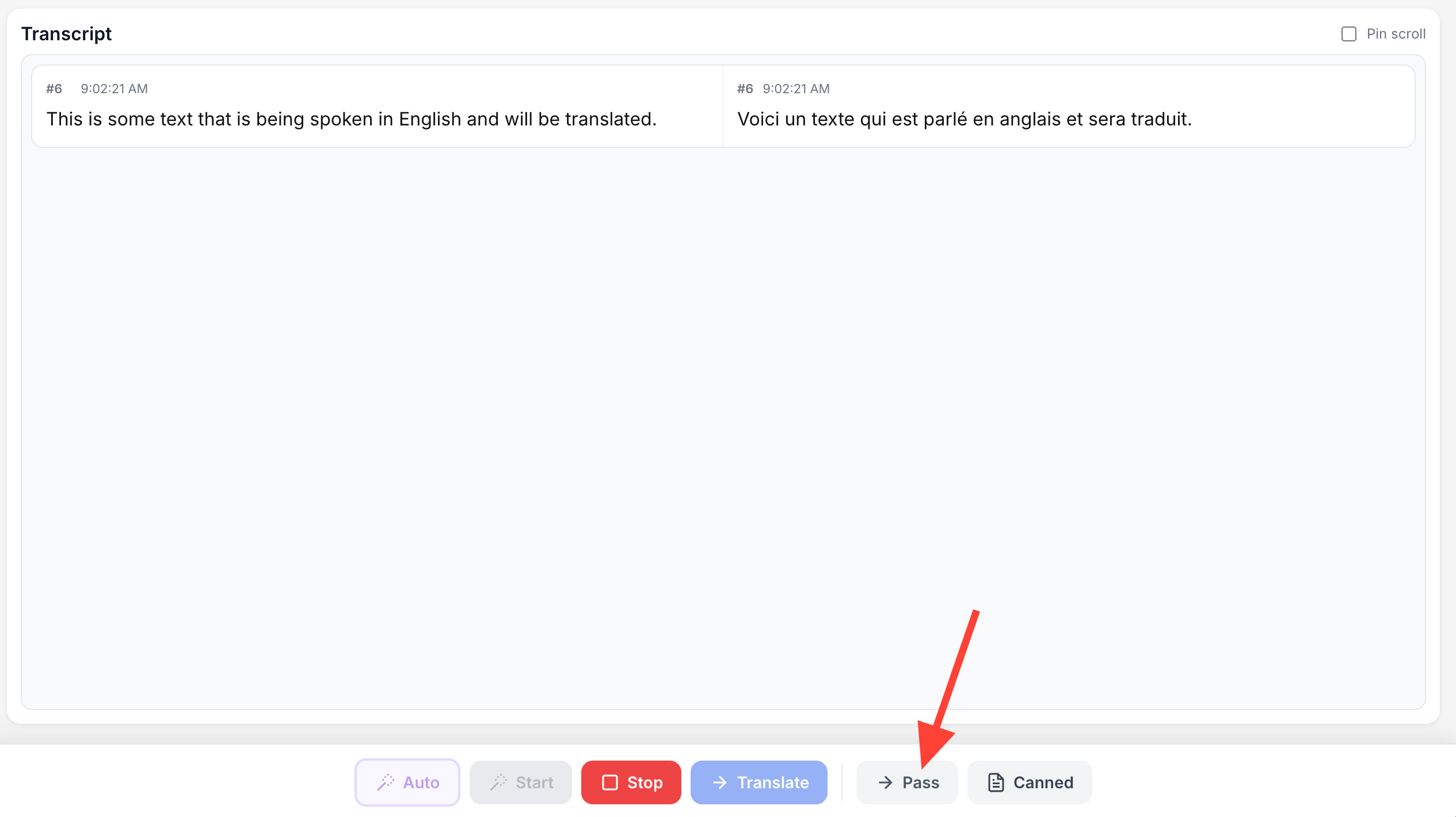
When enabled, it is assumed that the speaker is speaking using the target language. The transcribed text will be passed through rather than translated.
- Turn pass-through off
You can turn pass-through off by clicking on either of the Pass buttons.
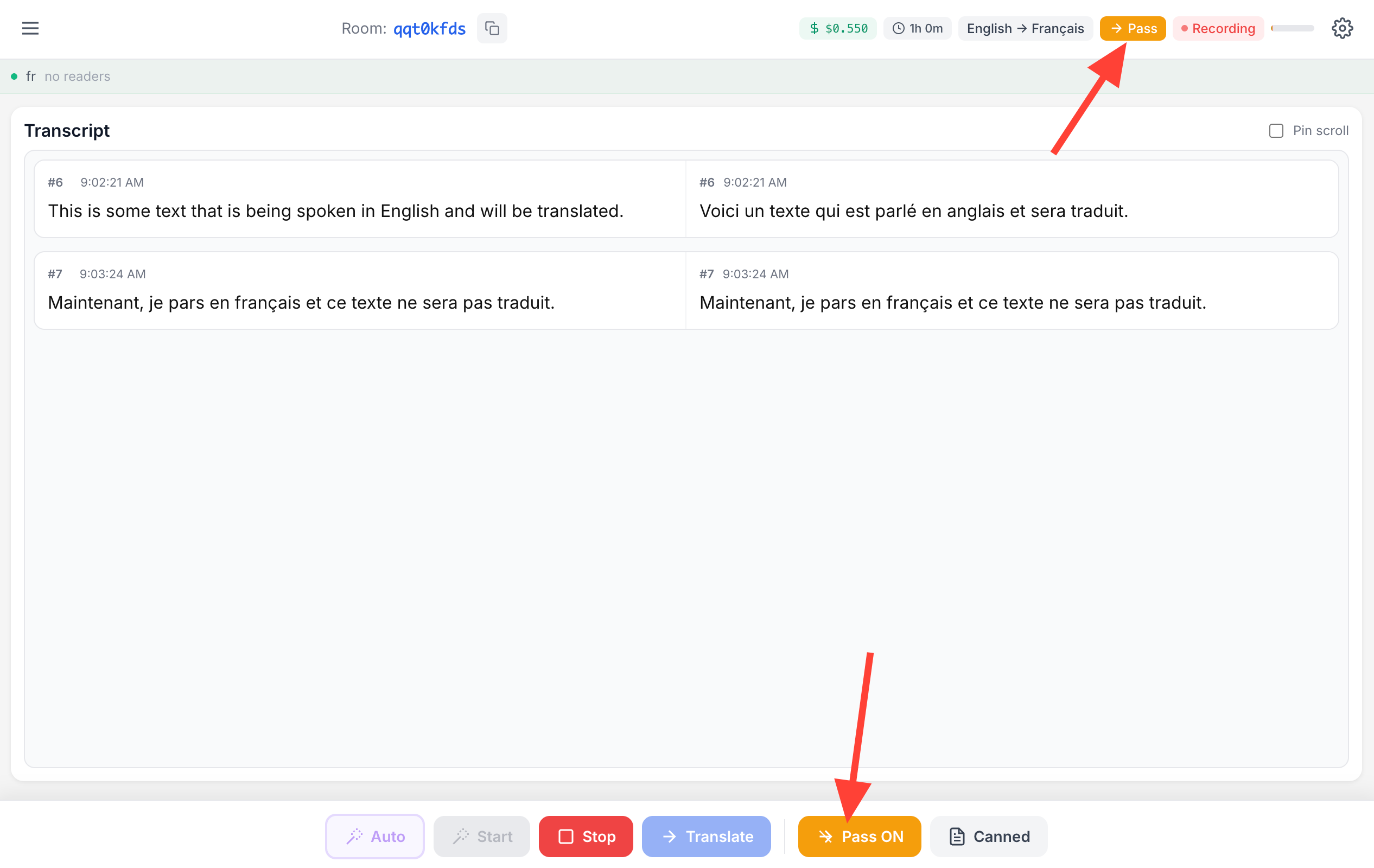
How to bypass translation if speaker is speaking in target language
Updated on